| .. | ||
| cad | ||
| firmware | ||
| pcb | ||
| production | ||
| README.md | ||

SegfaultPad
This is a random macropad I designed. It has controls for media, coding, and arrow keys, because I am currently using a 60 percent keyboard. The firmware is coded with KMK in Python because I was a little rushed, but I am planning on rewriting it in Rust from scratch soon. It is 4x4, and has no LEDs or stuff that could be distracting. I was inspired by some of the older, 80s design, and I probably had the most difficulties with the CAD modeling, as FreeCAD kept crashing and erroring.
CAD
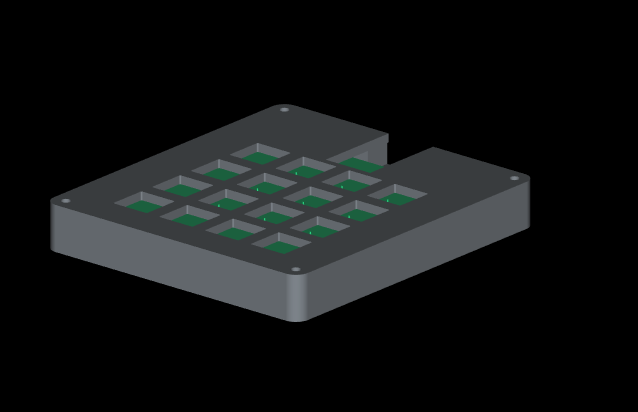
This is a screenshot of how it all fits together. I couldn't find good ways of positioning models, so
it does not have the MCU or keyswitch + keycap models in it. All CAD models can be found in the cad/
directory. The CAD models were originally designed with FreeCAD (not something I want to repeat) and tweaked with
PrusaSlicer, but were remodeled in Fusion 360. I included the FreeCAD documents as well because the final result does contain some meshes, and so I wanted it to be more accessible.
PCB
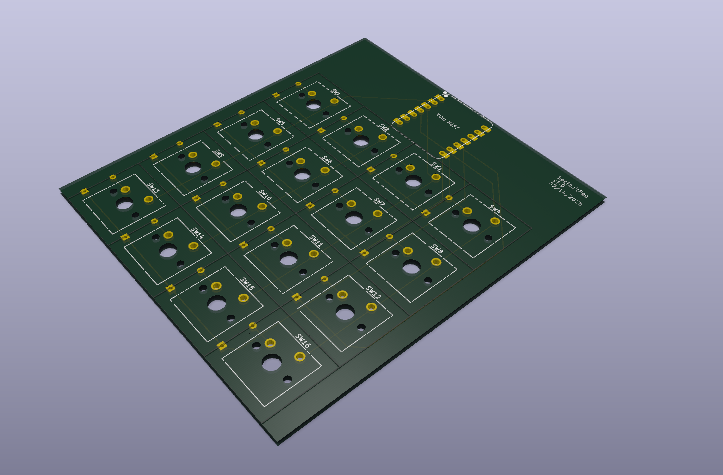
The PCB was designed entirely in KiCAD. Files can be found in the pcb/ directory. I used the OPL KiCAD library, and the ScottoKeebs KiCAD library. You can put both of these folders into the libraries/ directory.
This is my schematic:

This is my PCB:

And here is a render of the board without any components:
BOM
This is my Bill Of Materials, and should be everything necessary to build my macropad.
- Cherry MX Blue Keyswitches (x16, greens if blue is not possible)
- PCB (x1)
- XIAO Seeed RP2040 (x1)
- Through-hole diodes (x16)
- Blank DSA Keycaps (x16)
- Same bolts as the OrpheusPad (M3 I think?) and fitting nuts (4x of each)